
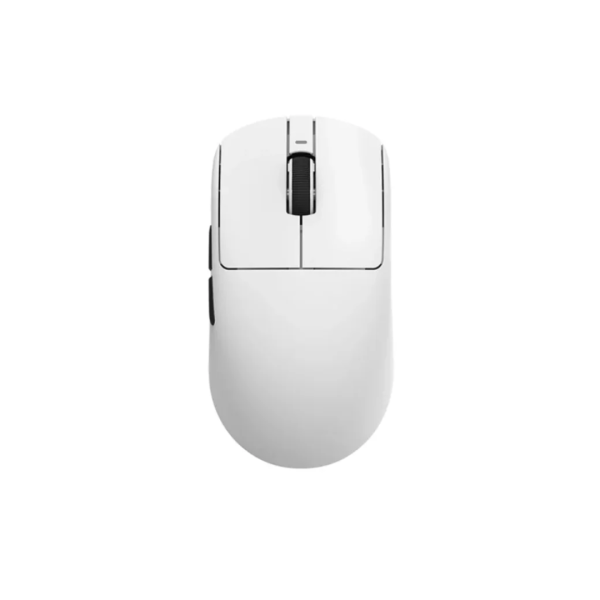
Start with the sensor, not the brand
The sensor is the part that tracks your movement, and it decides how accurate your aim feels. Most gaming mice today use a Pixart sensor, and the PAW3395 line is the one serious gamers look for. It supports high DPI, fast tracking speed, and stays consistent on cloth pads. For most players in Bangladesh, a PAW3395 or PAW3395 SE is more than enough.
Weight matters more than you think
A heavy mouse makes your wrist work harder during long sessions. Lighter is easier to control once you get used to it. The VXE R1 series sits between 48g and 55g, which is comfortably in the lightweight range. If you play for hours, that difference shows up in your aim by the end of the night.
Polling rate decides how smooth tracking feels
Polling rate is how many times per second the mouse reports its position. Office mice run at 125Hz, gaming mice at 1000Hz, and higher-end models reach 2000Hz or 4000Hz. Most players will not feel a real difference above 1000Hz, but if your PC pushes high frame rates, a 2000Hz+ mouse like the R1 Tri keeps up with fast flicks.
- Weight under 60g
- Sensor in the PAW3395 class or better
- At least 1000Hz polling
- Low-latency wireless or a clean wired connection
- A battery that lasts beyond a few sessions
- Good PTFE feet for smooth gliding
- A shape that fits your grip
Wireless is fine in 2026, as long as latency is low
Older players still believe wired is always faster. Modern wireless mice use 2.4GHz dongles with latency that matches cables, and the R1 series adds NearLink and Bluetooth options for flexibility. If a cable drags on your desk, a good wireless mouse removes that annoyance with no real trade-off.
Battery life keeps the mouse honest
A lightweight mouse with a tiny battery dies fast, so check the battery rating before buying. The R1S carries a 520mAh battery that can stretch to 150 hours, while the R1 Tri uses a 250mAh pack that lasts around 40 hours at 2000Hz. Decide how often you want to charge.
Buy for the shape and sensor, not just the price tag.
Where it fits your budget
Gaming mice in Bangladesh range from a few thousand taka to over ৳5,000 for flagships. The R1 SE+ sits around ৳2,749, the R1 Tri around ৳3,450, and the R1 Pro near ৳4,699. Pick a budget first, then choose the lightest mouse with the best sensor inside that range.
The takeaway
Check the sensor, the weight, the polling rate, the battery and the shape. If those five points pass, the mouse will serve you well for years. For most buyers in Bangladesh, the VXE R1 line covers every price point without compromise.