
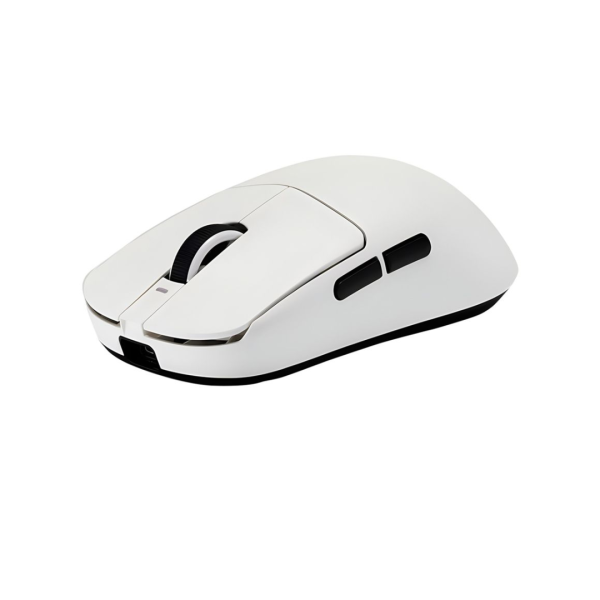
Two flagships, one family
The R1 Pro and the R1 Tri share the exact same 48g shell and the same Pixart PAW3395 sensor with 26,000 DPI and 2000Hz polling. The difference is in the chipset, the connectivity and the battery, and those differences decide which mouse is right for you.
What the R1 Pro adds
The R1 Pro runs on the Nordic 52840 chip and is 4K ready. With a separately purchased 4K receiver it reports at up to 4000Hz, which matters if you play on a 240Hz or faster monitor. It also carries the ultra-fine ice coating and Huano switches rated for 80 million clicks. Its 250mAh battery lasts about 75 hours at 1000Hz.
What the R1 Tri adds
The R1 Tri skips 4K support but keeps the same speed at 2000Hz, which already covers almost every competitive setup. It offers tri-mode connectivity (2.4GHz, Bluetooth and wired), so you can pair it with a phone or laptop easily. Its 250mAh battery lasts around 40 hours at 2000Hz, and it costs noticeably less.
- Shape and weight: identical at 48g
- Sensor: identical PAW3395 class
- Polling: R1 Pro up to 4000Hz (4K receiver), R1 Tri 2000Hz
- Connectivity: R1 Pro 2.4G + wired, R1 Tri 2.4G + Bluetooth + wired
- Battery: both 250mAh, R1 Pro about 75h at 1000Hz, R1 Tri about 40h at 2000Hz
- Price: R1 Pro around ৳4,699, R1 Tri around ৳3,450
The verdict
Buy the R1 Pro if you have a 240Hz+ monitor, want the lowest possible latency and can stretch the budget. Buy the R1 Tri if you want almost the same speed, want Bluetooth for extra devices, and prefer to save roughly ৳1,600. For most players in Bangladesh, the R1 Tri is the sensible pick and the R1 Pro is the enthusiast pick.